For FamilySearch families
Turn your FamilySearch tree into a printed book
The research is already done. Sign in with FamilySearch and we make a hardcover book about your ancestors from the names, dates, places, and portraits already in your tree. You read it over, change what you like, and order the print.
Free to build and preview. Free U.S. shipping on every order.
No FamilySearch account yet? Start with our free setup guide.
From sign-in to finished book
No export, no design software, no page-by-page assembly.
Need a GEDCOM or offline copy instead? Learn how to download or export your FamilySearch tree.
Sign in with FamilySearch
Connect the account you already use. We read the names, dates, places, and available portraits needed to build your book. Nothing to export or upload.
See the book already built
In a few minutes you see a finished book: a cover, a page for each ancestor, their weddings and children, a family tree, a timeline, and photo albums. Your family is already on every page.
Refine it, then order the print
Swap a portrait, add a photo album page, drop one you don't need. When it reads the way you want, order the hardcover. What you approve on screen is exactly what ships.
What’s inside the book
We make every page from the tree you already keep. You approve, change, or remove any of them.
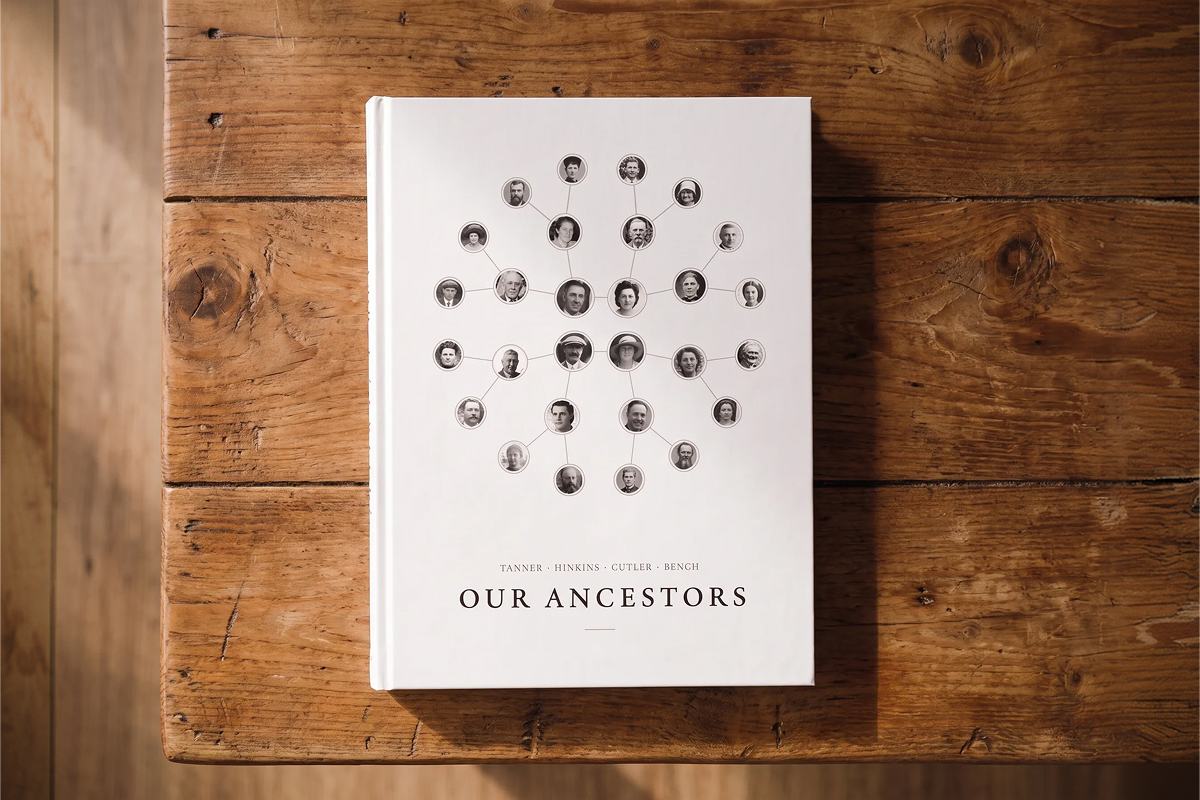
A cover with your family on it
Made from the portraits already on your tree, with your family name and the generations it covers.
A page for each ancestor
Their portrait, when and where they were born, and what your tree knows about their life.
A spread for each couple
The wedding photograph on one page, their marriage and the children who followed on the facing page.
A family tree and a timeline
Who came from whom, and when each of them lived, drawn from the same tree as the pages.
Where your family came from
A map of the countries your ancestors were born in, generation by generation.
Photo albums
The old photos on your tree, printed large enough to see every face.
One tree, several books
The same FamilySearch sign-in makes any of these: a full book of your ancestors, a board book for a grandchild, or a book of true stories from your family’s journals and letters.
 01Bestseller
For passing down stories
Ancestor Stories Book
Your ancestors' true stories, told in their own words from the journals, letters, and histories your family saved on FamilySearch, and printed as a hardcover to keep.
02For a parent or grandparent
Ancestor Book
A hardcover book about the generations behind you: a portrait page for each ancestor, their weddings and children, and the old family photos from your tree. We make it for you from FamilySearch.
 03
03For a new baby
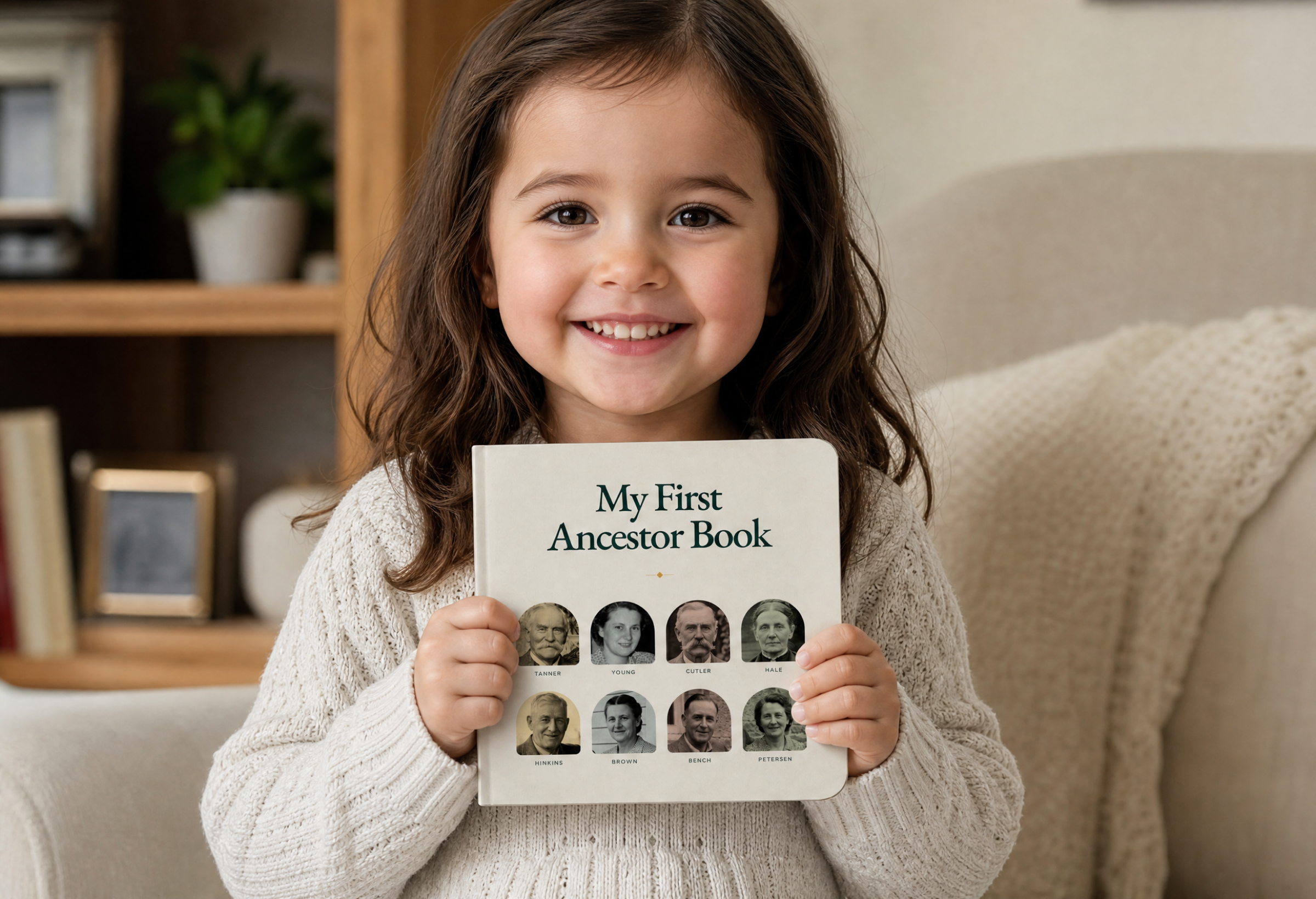
My First Ancestor Book
A polished first-words board book that opens on your family pedigree, then gives each of the eight great-grandparents behind you a spread of their own.
 04
04For grandchildren
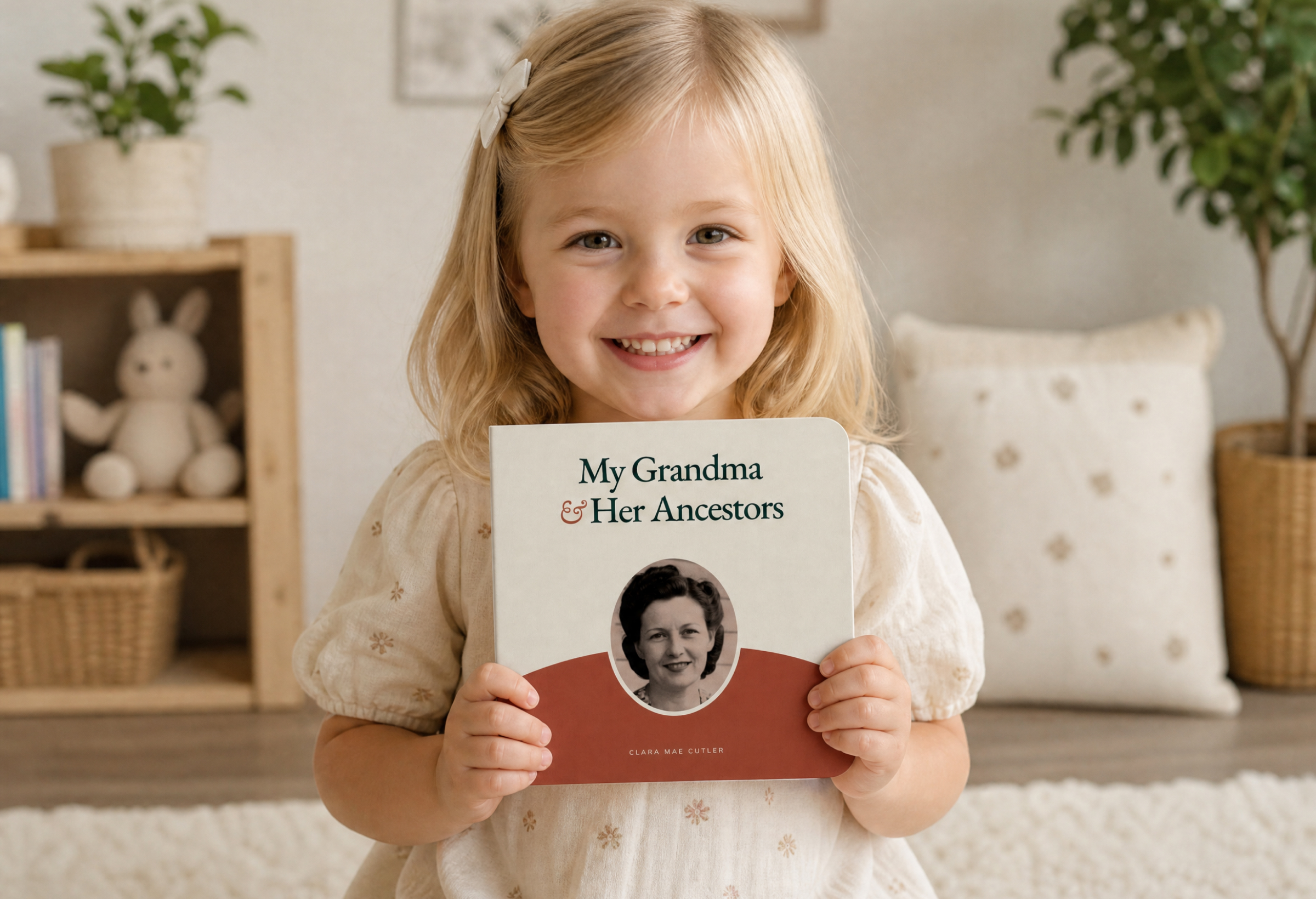
My Grandma & Her Ancestors
A ten-spread board book about one grandma, what she loved as a child, and the six parents and grandparents behind her.
 05
05For grandchildren
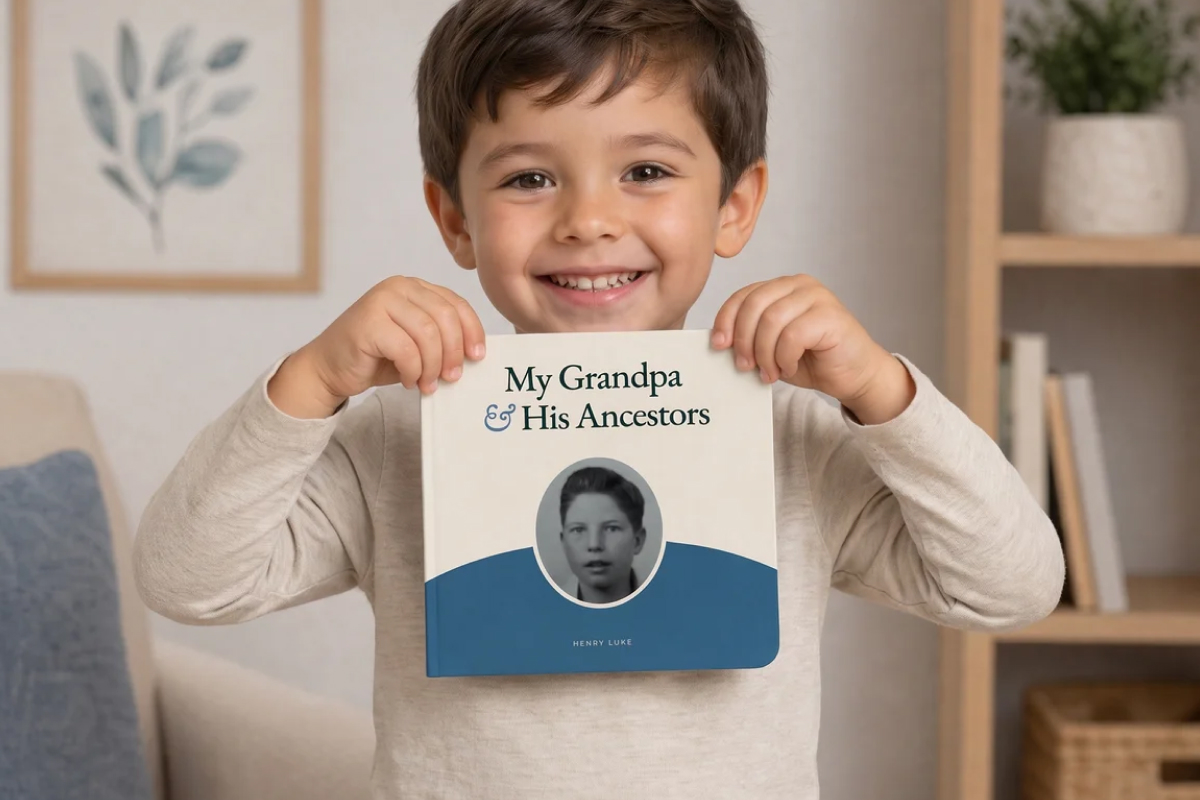
My Grandpa & His Ancestors
A ten-spread board book about one grandpa, what he loved as a child, and the six parents and grandparents behind him.
Questions about FamilySearch books
- Can I turn my FamilySearch tree into a book?
- Yes. Sign in with FamilySearch and Rememberkin reads the family details and portraits needed for your book. The first draft assembles automatically, and you can review every page before deciding whether to print it.
- Does FamilySearch print family history books on its own?
- FamilySearch provides useful printable PDFs, including a four-generation pedigree, a five-generation portrait chart, a fan chart of up to seven generations, and family group records. It does not offer a custom bound-book product.
- How many generations can the book cover?
- The Ancestor Book can include up to five generations of ancestors. You choose the starting person, and the exact pages depend on which relatives and family details are available in the connected tree.
- Will it use the photos and memories attached to my tree?
- Yes. We gather the portraits already attached to your FamilySearch ancestors and match each one to the right person — no downloading them one at a time. We pick a portrait for each ancestor to start, and you always approve or swap in a different image before it prints.
- What happens if someone changes my tree after I print?
- Nothing. FamilySearch's tree is shared and open to edits from other people, but your book is a snapshot of what was there when you made it. That's part of the point — a printed volume is the one copy of your family's record that nobody else can rewrite. You can always build a fresh edition later.
- Do I have to use FamilySearch?
- Rememberkin works best with a FamilySearch account. It is free, and we connect directly so there is no file to export or upload. If you have a GEDCOM file you're hoping to use, email support@rememberkin.com and tell us more about your project.
- I don't have a FamilySearch account yet. Where do I start?
- Creating one is free and takes about two minutes — there's no paid tier and no credit card. Our guide walks through signing up, and through the part that matters most: connecting your line to the deceased ancestors other people have already documented, which is what fills a tree out.
- What does the printed book look like?
- A hardcover volume, 8.5×11″, printed on archival paper meant to be handled and passed down. Pricing starts at $149 and varies with page count and finish. U.S. shipping is free on every order.
- What if my tree has gaps?
- That's normal. Start with the relatives and portraits you have today. Rememberkin does not invent missing people or facts, its layouts work without every portrait, and you can upload your own photos before ordering.
- Does Rememberkin change my FamilySearch tree?
- No. Rememberkin only reads from FamilySearch to build your products. It never writes to or modifies your tree.
You’re two minutes from seeing your family in print
Building it is free. Only pay when you print.